 Skip to content
Quick answer: what if my Maanwin deposit is not received?
Do not pay again. Check the order in deposit history, wait for the stated processing window, then contact Maanwin customer care with your user ID, the amount, the time, the UTR or transaction ID and a screenshot of the payment. Most unmatched deposits are credited or reversed by the bank once the ticket is checked.
Why it happens
Why is my Maanwin deposit not showing?
Deposits fail to show for five common reasons.
| Reason | What you see | What to do |
|---|---|---|
| Payment still matching | Status pending | Wait a few minutes and refresh |
| Paid a different amount | Order expired or unmatched | Send the exact amount next time; ticket the old one |
| Reused an old QR or UPI ID | Money left your bank, no order | Ticket with UTR; always start from Deposit |
| Bank or UPI outage | Debit shown, status failed | Bank usually reverses; keep the UTR |
| Wrong USDT network | Funds not received | Contact support with the transaction hash |
Fix steps
How do I fix a Maanwin deposit problem step by step?
Follow these steps in order and keep every screenshot.
- Check deposit history. Note the order number, amount and status.
- Find the UTR. Open your UPI or bank app and copy the 12-digit UTR or transaction ID.
- Take screenshots. Capture the payment success screen and the Maanwin order.
- Wait the stated window. Many matches complete within minutes.
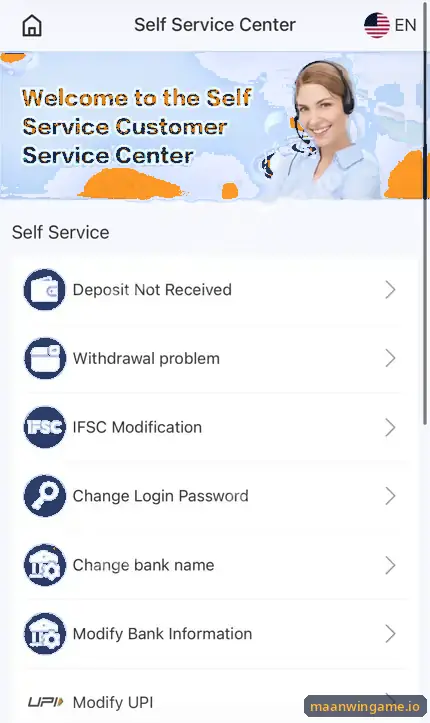
- Open customer care. Use the headset icon and choose the deposit issue option.
- Send the details. User ID, amount, time, UTR and screenshots in one message.
UTR
What is a UTR number and where do I find it?
A UTR (Unique Transaction Reference) is the bank’s ID for your UPI payment.
In PhonePe, Paytm or Google Pay, open the payment in your history; the UTR or “UPI Ref No.” is shown in the details. It is usually 12 digits. Support uses it to find your money, so copy it exactly.
Avoid it
How do I avoid Maanwin deposit problems next time?
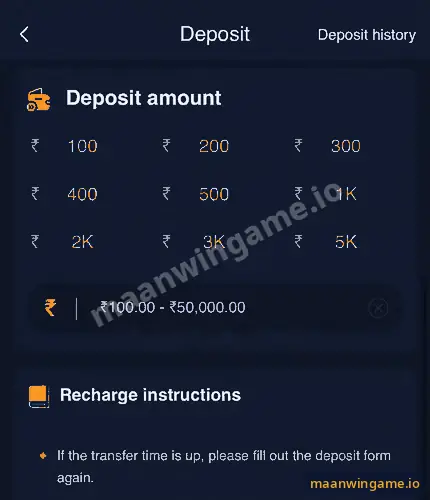
Start every deposit fresh from the Deposit button and pay exactly what it shows.
- Never reuse an old QR code or UPI ID.
- Pay the exact amount, not a rounded one.
- Finish payment before the order timer ends.
- For USDT, match the network shown on the screen.
The full flow is in the Maanwin deposit guide, and support options are in the Maanwin customer care guide. Back to the Maanwin guide.
Scam warning
Should I trust someone who offers to “recover” my deposit?
No. Only in-app customer care can trace a deposit.
Strangers who promise to “recover” a stuck deposit for a fee, or ask for your UPI PIN, are scammers. Your UPI PIN is only for sending money, never for receiving or recovering it.
FAQ
Maanwin deposit problem FAQ
How long should I wait before reporting a deposit?
Give it the processing time shown on the cashier, then report it with your UTR.
My bank shows a debit but Maanwin does not. Is my money lost?
Usually not. It is either matched after a ticket or reversed by the bank.
Should I deposit again while I wait?
Not for the same purpose. A second payment does not push the first one.
What details does support need?
User ID, amount, time, UTR or transaction ID and screenshots.
Can a wrong USDT network be fixed?
Sometimes not. Contact support with the transaction hash at once.
How does a bank reversal work?
If a UPI payment fails, banks normally refund it automatically within their own timelines.
Summary
Key takeaways
- Do not pay twice.
- Collect the UTR and screenshots.
- Report through in-app customer care only.
- Start every deposit from the Deposit button and pay the exact amount.
