 Skip to content
Quick answer: how do I reset my Maanwin password?
Tap Forgot Password on the Maanwin login screen, enter your registered mobile number, verify it with the code you receive, then set and confirm a new password. If you are still logged in somewhere, change the password from your profile settings instead. If the reset does not work, customer care can verify your account by hand.
Reset steps
How do I use Forgot Password on Maanwin?
The reset takes four steps and needs only your registered phone.
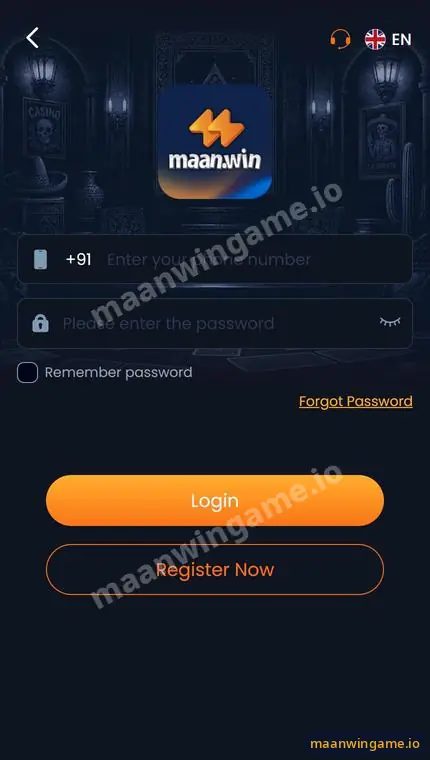
- Open the login screen. Tap Log in on this site or open the app.
- Tap Forgot Password. It sits under the password field, on the right.
- Verify your number. Enter your +91 number and the verification code sent to it.
- Set a new password. Type it twice, save, and sign in with it.
Change while logged in
How do I change my Maanwin password while logged in?
Open Profile, find the security or settings area and choose to change your login password.
Changing your password every few months, and straight away after you used a shared phone, keeps your wallet safe. You will usually need your old password once. If the menu layout has changed, the headset support can point you to it.
Strong passwords
What makes a good Maanwin password?
Long, unique and private.
| Do | Do not |
|---|---|
| Use 10 or more characters | Use your name, birthday or 12345678 |
| Mix letters and numbers | Reuse your email or UPI password |
| Keep it in your head or a password app | Send it on WhatsApp or keep it in a screenshot |
After a reset, log out of devices you do not use. If someone else knew your old password, check your recent deposits and withdrawals and tell customer care.
Reset not working
What if the Maanwin password reset fails?
The usual reasons are a code that never arrives or a number that is not the one on the account.
- Wait one minute and request the code once more; many requests can be blocked for a while.
- Make sure the SIM is in the phone and has signal.
- If you no longer have the number, contact customer care with your deposit proof.
- Still stuck? See the Maanwin login problem page.
For everything else about the platform, see the Maanwin guide.
Scam warning
Will Maanwin ever ask me for my password?
No. Staff never need your password, OTP or UPI PIN.
If anyone asks for your verification code “to reset your password for you”, it is a scam. Do the reset yourself on the login screen.
FAQ
Maanwin forgot password FAQ
Where is Forgot Password on Maanwin?
On the login screen, under the password field.
Do I lose my balance if I reset my password?
No. Only the password changes.
How long does the verification code take?
Usually a few seconds to a minute, depending on your network.
Can customer care tell me my old password?
No. They can only help you set a new one.
Can I reset without my registered number?
Not through the normal screen. Contact customer care for manual checks.
How often should I change my password?
Every few months, and at once if you think someone else knows it.
Summary
Key takeaways
- Forgot Password is on the login screen.
- You need your registered number to verify.
- Balance and history are not affected.
- Never share the verification code.
